
- Home
- Interactive courses
Interactive courses: an AI coach trains your teams from your documents.
Import your guides, procedures or product sheets. Engramm turns them into a course that an AI coach presents to each learner, by audio or video, answering their questions along the way.
A 45-minute demo, on a topic from your teams.
- SOC 2 Type II · AI Act
- Hosted in France · GDPR
- Deployed in regulated environments, built for large enterprises
They train their teams with Engramm








 + 30 more large companies
100,000+learners on Engramm, in healthcare, banking, retail, telecom, industry and consulting.
What the learner experiences
during the course.
Each learner has their own session, at their own pace, with their own questions. The coach follows the sequence of concepts defined by your teams.
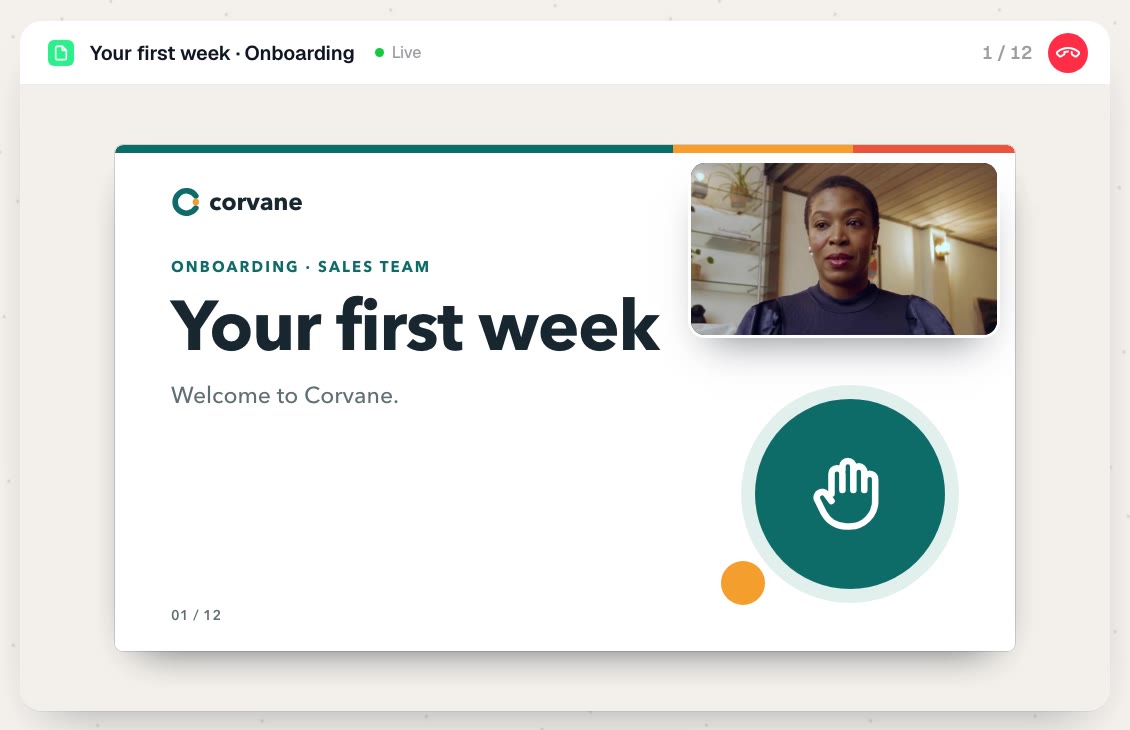
The coach presents your material, page by page.
It talks to the learner and scrolls through your document as it explains. The learner sees on screen what they hear.
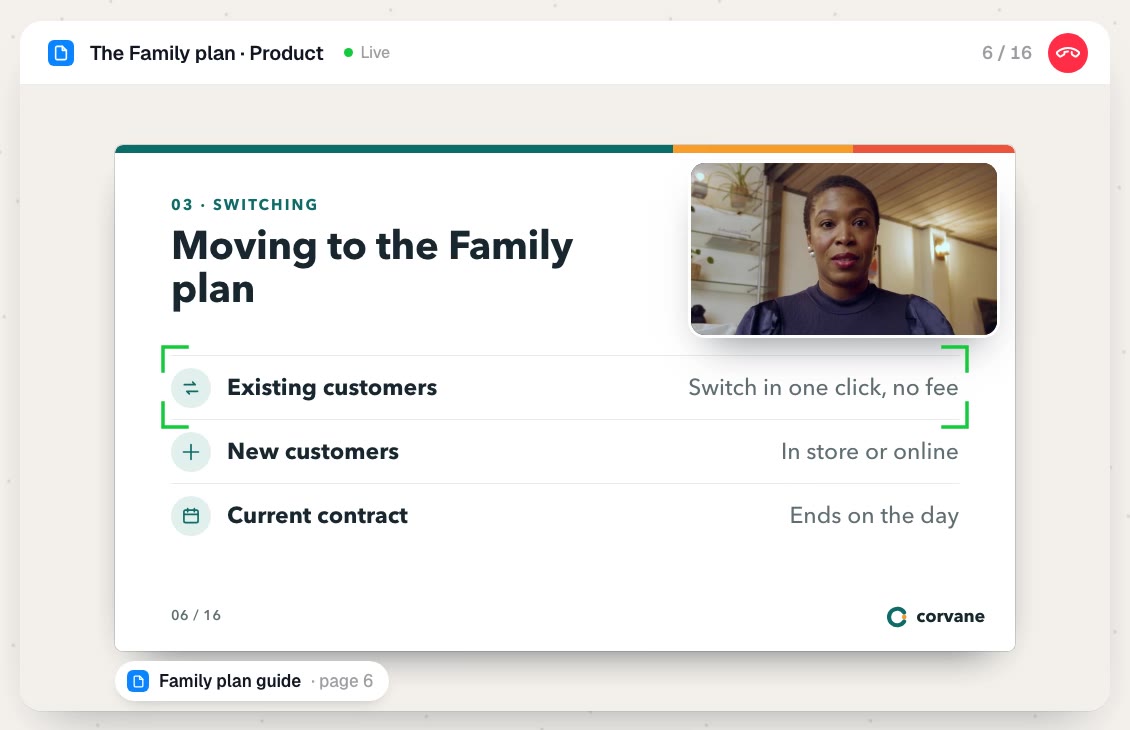
The coach answers questions, from your documents.
The learner interrupts by voice, at any moment. The coach answers from the course documents and shows the page the information comes from. It can also go back to a page or go deeper into a concept.
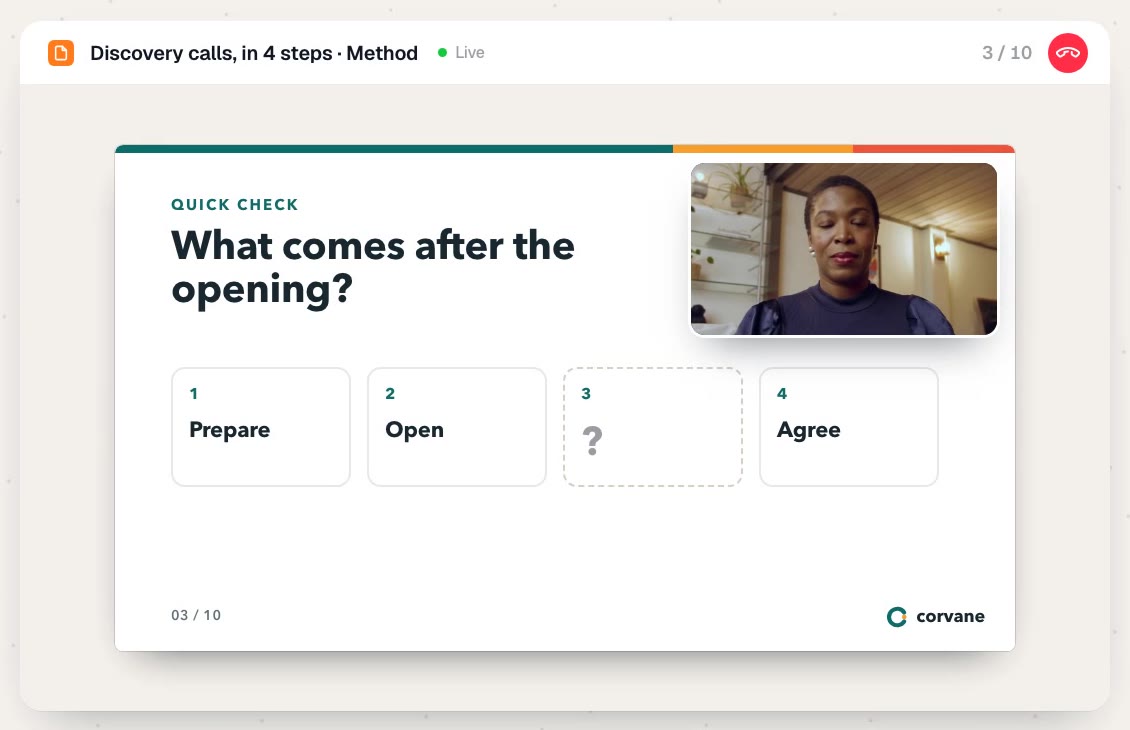
The coach checks what has been understood.
Throughout the course, it asks the learner about the key concepts. When an answer is wrong, it explains again in a different way before moving on.
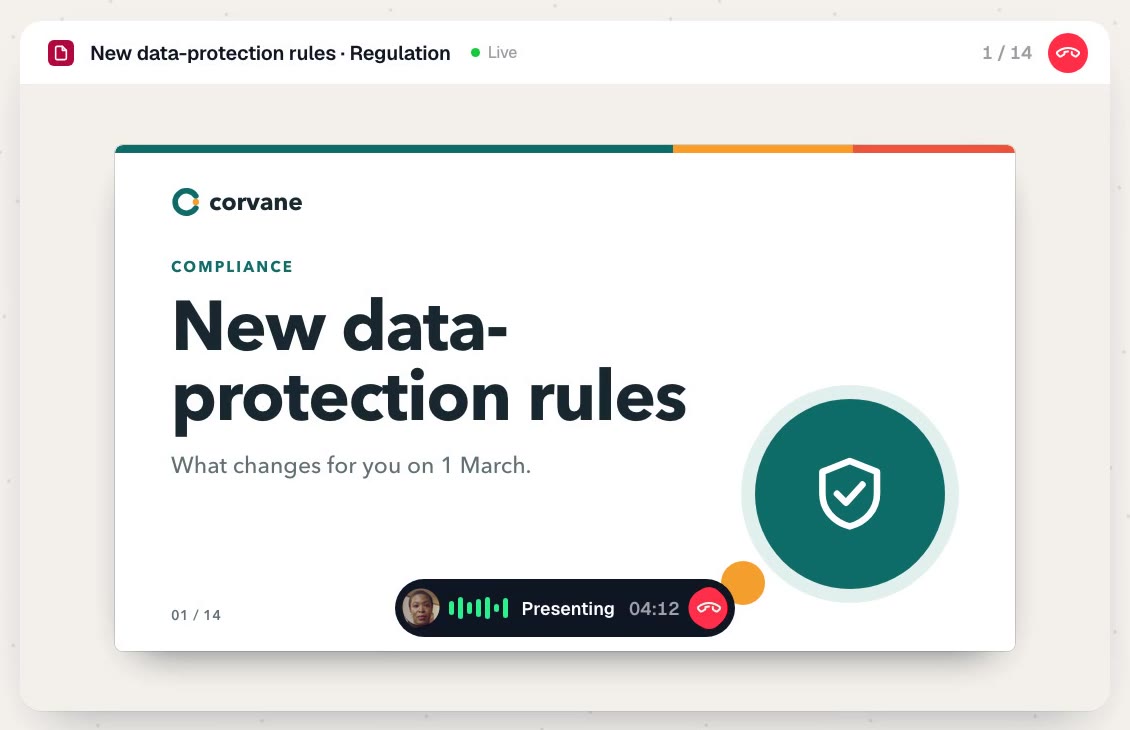
The coach speaks by audio, or appears on video.
For each course, you choose between a voice coach and a video avatar facing the learner. The course can also do without on-screen material and take the form of a conversation.
A course built from the documents you already have.
You start from your guides, procedures and product sheets. Engramm suggests the path, you review it and you publish.
1. Write a short brief.
The course topic, the learning goal, the target learners and the language.
2. Add your documents.
Import your files or paste text. You choose the documents the coach relies on to answer and the one it presents on screen. If you have no material ready to present, Engramm generates one from your documents.
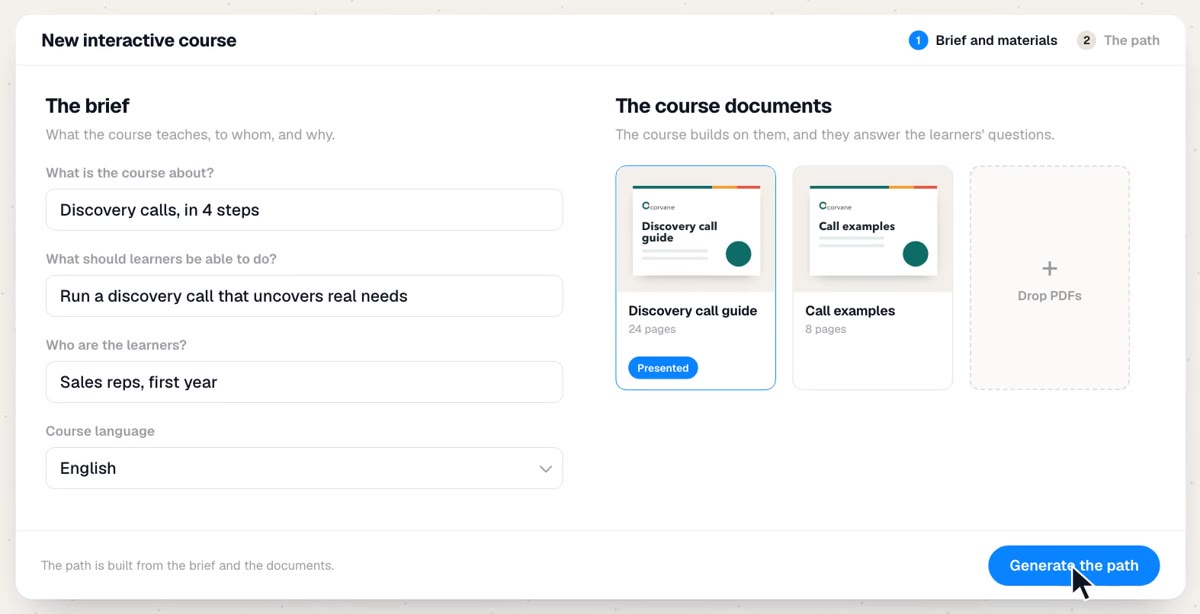
3. Review the path.
Engramm extracts the concepts to teach from your documents and puts them in order. You can edit them, reorder them or add more, or publish the course as is.
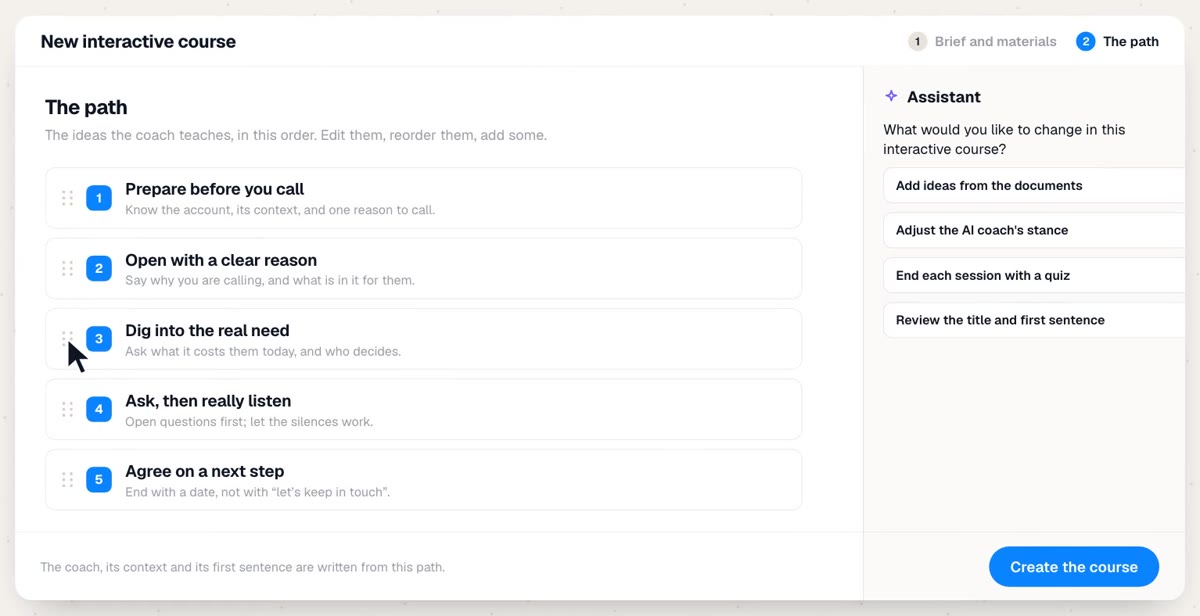
4. Adjust with the assistant.
Ask the Engramm assistant for what you want to change: a more direct coach, more questions or harder ones, a quiz at the end of each session. It applies the change and you approve it.
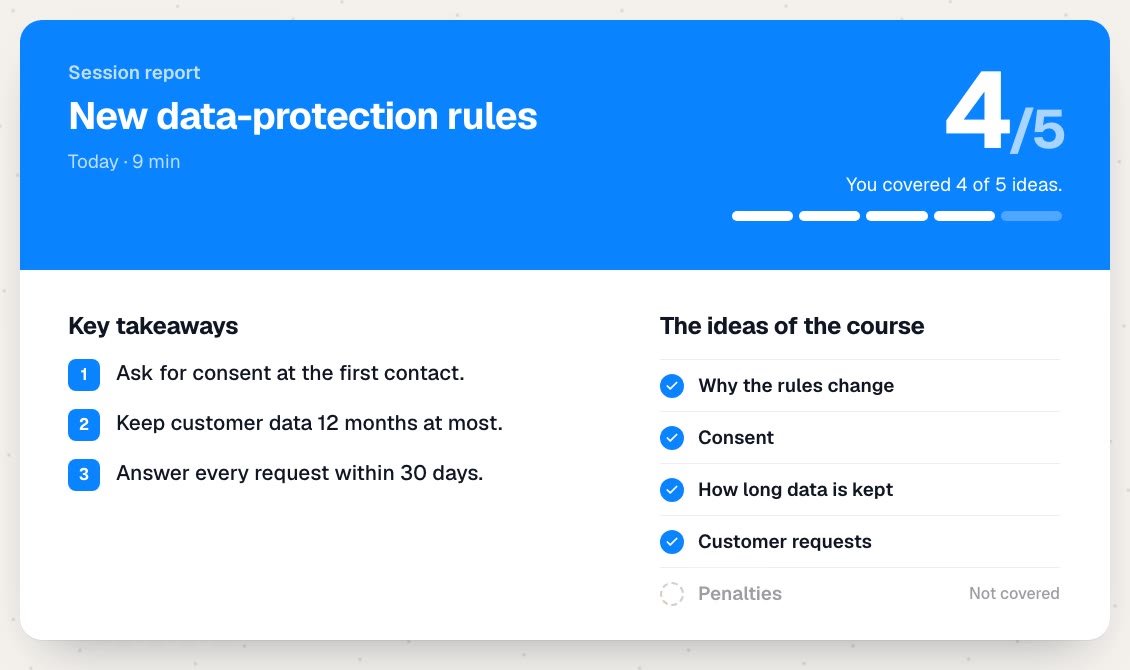
A summary at the end of every session.
The learner gets the key takeaways and the list of the course concepts, with the ones they covered and the ones still to go.
Your L&D teams see the same summary, along with an overview of the conversation and its transcript. The summary is organized around the course concepts, with no assessment grid: in the example, 4 concepts covered out of 5.
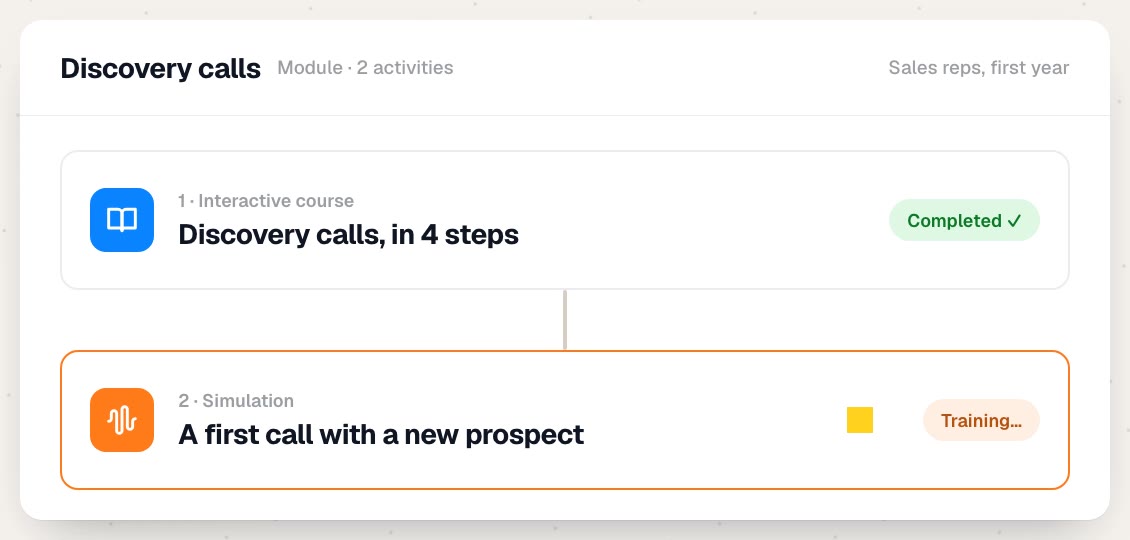
The course first, then the simulation.
In an Engramm module, the interactive course comes before an AI simulation. The employee learns the method with the coach, then applies it with an AI character, in a roleplay assessed by a scorecard.
The same module can include a podcast, a quiz or flashcards for review.
What your teams learn
in an interactive course.

“Who do I ask for CRM access?”
Onboarding
A new hire's first week.
Who does what, who to contact, the tools and the goals for the first 30 days. Every new hire asks their questions without waiting for a slot with their manager.

“Can a customer switch from Pro to Pro+ in the middle of the year?”
Product
A new offer.
What's included, the conditions, switching from one offer to another. Advisors ask the coach about the cases they come across, based on the product sheet.

“How many questions before presenting the offer?”
Method
A sales method.
The steps of the discovery call, presented and then checked with questions, before a simulation of the same call.

“What changes for my team on June 1st?”
Regulation
A new rule to apply.
What changes, from when, and what everyone needs to do. The summaries show which concepts each employee has covered.
Nothing to install, with or without an LMS.
Engramm runs in the browser. You choose how your learners access the courses, and you can start with a single team.
1. Direct access.
Your learners log in to Engramm from their browser, with nothing to install on their computer. They are organized by team, and each manager tracks their own.
2. Single sign-on.
With SSO (SAML, OAuth, OpenID Connect), your employees log in with their usual credentials.
3. From your LMS.
Modules export to SCORM 1.2 and 2004 or xAPI. Your employees open them from the LMS where they already learn.
Engramm works with LMSs that support SCORM or xAPI, such as Moodle, 360Learning, Docebo, Cornerstone, SAP SuccessFactors, Workday Learning, Cegid Talent or Rise Up. You can launch Engramm with one team, alongside your current tools: the rollout schedule is set with you from the first conversation.
“An extraordinary AI platform, led by a team of exceptional professionalism matched by incredible kindness. A dream!”
 Carole FabreGlobal Director Training and Medical Education, Stryker Neurovascular (translated from French)
Frequently asked questions about interactive courses.
Another question? We answer it during the demo, on a topic from your teams.
Book a demo →What is an interactive course?
A course in which an AI coach presents training material to the learner, by voice or video, and talks with them during the presentation. The learner asks questions whenever they want, the coach answers from the course documents and checks along the way what has been understood.
How is it different from an e-learning module?
An e-learning module plays the same content for every learner. In an interactive course, each learner has their own session: they interrupt the coach, ask questions, ask it to go back to a page, and the coach checks what they understood before moving on.
Do we need an LMS to use Engramm?
No. Your learners can sign in to Engramm directly from their browser, and your training teams follow the summaries there. If you already have an LMS, modules plug into it via SCORM or xAPI.
Does Engramm work with Moodle, 360Learning, Docebo or Cornerstone?
Yes, as with any LMS that supports SCORM 1.2 or 2004, or xAPI: SAP SuccessFactors, Workday Learning, Cegid Talent, Rise Up… Your employees open Engramm modules from their usual LMS. Single sign-on (SAML, OAuth, OpenID Connect) and a REST API are also available.
How long does it take to get started?
There is nothing to install. The timeline mostly depends on the access method you choose (direct access, SSO or LMS): we set it with you from the very first conversation. You can start with a single team, alongside your current tools.
Which documents can we use?
Your existing material: guides, procedures, product sheets, presentations. You upload your files or paste text. Some documents feed the coach's answers, another can be shown on screen. If you have no presentation ready, Engramm generates one from your documents.
Who creates the interactive courses?
Your training teams, with the Engramm assistant. You write the brief and add your documents, and Engramm proposes the path of key concepts. You publish it as is or edit it, directly or by asking the assistant.
Can we adjust how the coach behaves?
Yes. You can ask it to be more direct, to ask more questions, harder questions or no questions at all, or to end each session with a quiz.
How much does Engramm cost?
A subscription per learner per month, with no commitment, or annual at a reduced rate. You receive a detailed quote after the demo.
Which languages do interactive courses support?
You choose the language of each course in the brief. Engramm works in more than 70 languages.
Where is the data hosted, and is it used to train the AI?
The application is hosted in France and the language model runs in a France region. Voice processing takes place in Europe. Your employees' conversations are never used to train the models.
How is it different from the AI coach?
The AI coach talks with the employee about a topic, with nothing on screen: preparing a meeting, reviewing, explaining back. The interactive course follows a path of key concepts defined by your teams and presents material during the conversation.
Book a demo
See an interactive course on one of your topics.
In 45 minutes, we show you interactive courses and the rest of the platform, on a topic from your teams.
- A demo on your topic
- Setup, with or without an LMS
- A priced proposal afterwards